
Declarative Configuration with YAML and Docker Labels
Managing Resources at Scale with Pangolin Blueprints
When teams expose services across multiple environments, the biggest challenges are usually consistency and scale. You might run a mix of cloud services, on‑prem systems, or even IoT devices in the field. Each environment has different access methods and security considerations, but you still need a single way to expose them securely, apply authentication, and control traffic.
Pangolin Blueprints provide a way to define this centrally. Instead of applying reverse proxy rules manually in different places, you describe each resource once using a declarative configuration. Pangolin then applies that configuration, ensuring that proxies, authentication, and target mappings stay consistent no matter where the service runs.
Examples: YAML and Docker Labels
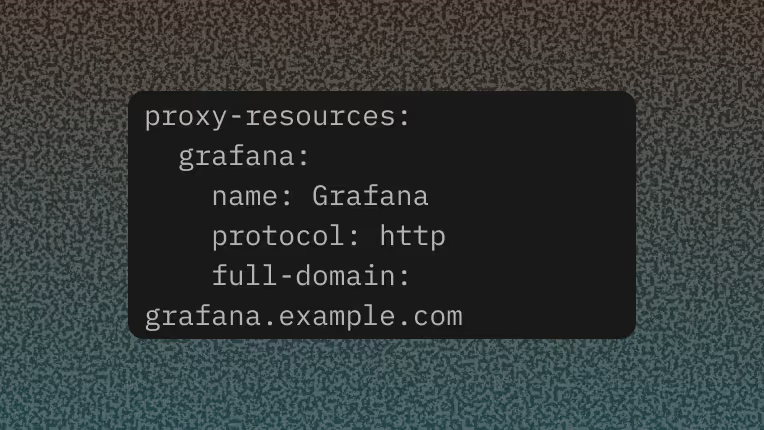
A Blueprint for a single HTTP service can be described in YAML. Below, a Grafana instance in a VPC is exposed at a domain with SSO enabled:
proxy-resources:
  grafana:
    name: Grafana
    protocol: http
    full-domain: grafana.example.com
    auth:
      sso-enabled: true
    targets:
      - hostname: localhost
        port: 3000
        method: http
For containerized workloads, you can define the same setup directly in a docker-compose.yml file using labels. The Newt agent detects these at startup and automatically provisions them in Pangolin:
services:
  grafana:
    image: grafana/grafana
    container_name: grafana
    labels:
      - pangolin.proxy-resources.grafana.name=Grafana
      - pangolin.proxy-resources.grafana.full-domain=grafana.example.com
      - pangolin.proxy-resources.grafana.protocol=http
      - pangolin.proxy-resources.grafana.auth.sso-enabled=true
      - pangolin.proxy-resources.grafana.targets[0].method=http
      - pangolin.proxy-resources.grafana.targets[0].port=3000
This approach means you don’t need to configure the proxy separately. Your Compose stack definition and your network access controls live in one place.
Watch It in Action
This short walkthrough shows a Grafana service being exposed with a Pangolin Blueprint, both through YAML and Docker labels.
How Teams Use Blueprints
Once services can be declared as code, a wide set of use cases follow naturally:
- Temporary environments: Spin up a staging or preview stack with Docker Compose and have Pangolin automatically register domains, enforce authentication, and route traffic without extra configuration.
- Multiple offices or sites: Connect tunnels from different physical networks into Pangolin, then apply the same proxy rules and security policies consistently across locations.
- IoT and edge environments: Define resources for devices that exist outside your main datacenter and manage access centrally, with the same login rules as cloud applications.
- Hybrid and multi‑cloud setups: Expose services running across providers while keeping control of how traffic flows and what authentication is required, all from one dashboard.
Blueprints also make it easier to handle traffic distribution and availability. You can attach multiple targets to a single resource, allowing Pangolin to automatically balance requests across services or fail over if one goes offline.
Here’s an example of a resource with two HTTP backends:
proxy-resources:
  webapp:
    name: WebApp
    protocol: http
    full-domain: app.example.com
    targets:
      - hostname: localhost
        port: 8080
        method: http
        site: "aws-vpc-01"
      - hostname: localhost
        port: 8080
        method: http
        site: "aws-vpc-02"
For developers and operators, this keeps traffic rules explicit. Adding or removing targets is done through the config file rather than by re‑entering settings into a UI.
Centralized Control
Another advantage of Blueprints is centralization. Access policies, authentication rules, and connection definitions are applied at the proxy layer and enforced the same way across all resources. For example:
- Require SSO for certain applications while leaving others public.
- Apply path‑based rules to allow or block specific endpoints.
- Restrict access to resources by IP or region.
Because these settings are declarative, they can be versioned, audited, and reviewed in the same way as application code. This reduces configuration drift and makes it easier for teams to collaborate on network and access policies.
Final Thoughts
Pangolin Blueprints provide a way to treat reverse proxy configurations as code and deploy applications that exist on any network anywhere. Whether you define YAML files checked into Git, or embed labels in Compose stacks, service definitions and access controls are created automatically when infrastructure comes online.
That makes it straightforward to manage reverse proxies, authentication policies, load balancing, and site‑to‑site connections from a single place without duplicating manual steps across environments.
Learn more by reading our documentation.
Pangolin is an open-source infrastructure company that provides secure, zero trust remote access for teams of all sizes. Built to simplify user workflows and protect critical systems, Pangolin helps companies and individuals connect to their networks, applications, and devices safely without relying on traditional VPNs. With a focus on device security, usability, and transparency, Pangolin empowers organizations to manage access efficiently while keeping their infrastructure secure.
Keep reading
 Getting Started with Pangolin SSH - Same-Host Setup with Newt
Learn how to get started with Pangolin SSH by setting up secure same-host access on a server running Newt, using private resource access, identity-based controls, and short-lived SSH certificates.
Guides Health Checks and Load Balancing on Targets for Resources
How to set up health checks and load balancing targets for resources.
Guides Secure Remote Access: Enterprise ZTNA Implementation Guide
Traditional enterprise remote access methods like legacy VPNs often grant overly broad network visibility, creating severe vulnerabilities and lateral movement risks. This comprehensive guide covers how to transition your organization to an identity-driven, resource-level secure remote access model. Discover the five core pillars of a resilient Zero Trust architecture, compare modern ZTNA solutions, and follow our step-by-step framework to eliminate public internet exposure without disrupting employee workflows.
Guides