
GitOps Workflow for Pangolin Blueprints: Continuous Access Control via CI/CD
As Pangolin environments grow, managing resource and access changes only in the dashboard can add operational overhead. New environments get added, existing ones change direction, and policies can drift from the original intent.
GitOps is the practice of keeping operational state in version control and applying that state through automation. For Pangolin, that means storing blueprints in Git and letting CI apply them instead of treating the dashboard as the source of truth.
That gives teams a few practical benefits immediately:
- version history for every exposure and access change
- pull request review before changes reach Pangolin
- cleaner rollback when a hostname, target, or policy change needs to be reversed
- easy ability to apply changes in bulk for large-scale management and rapid provisioning
- less dashboard drift between intended state and live state
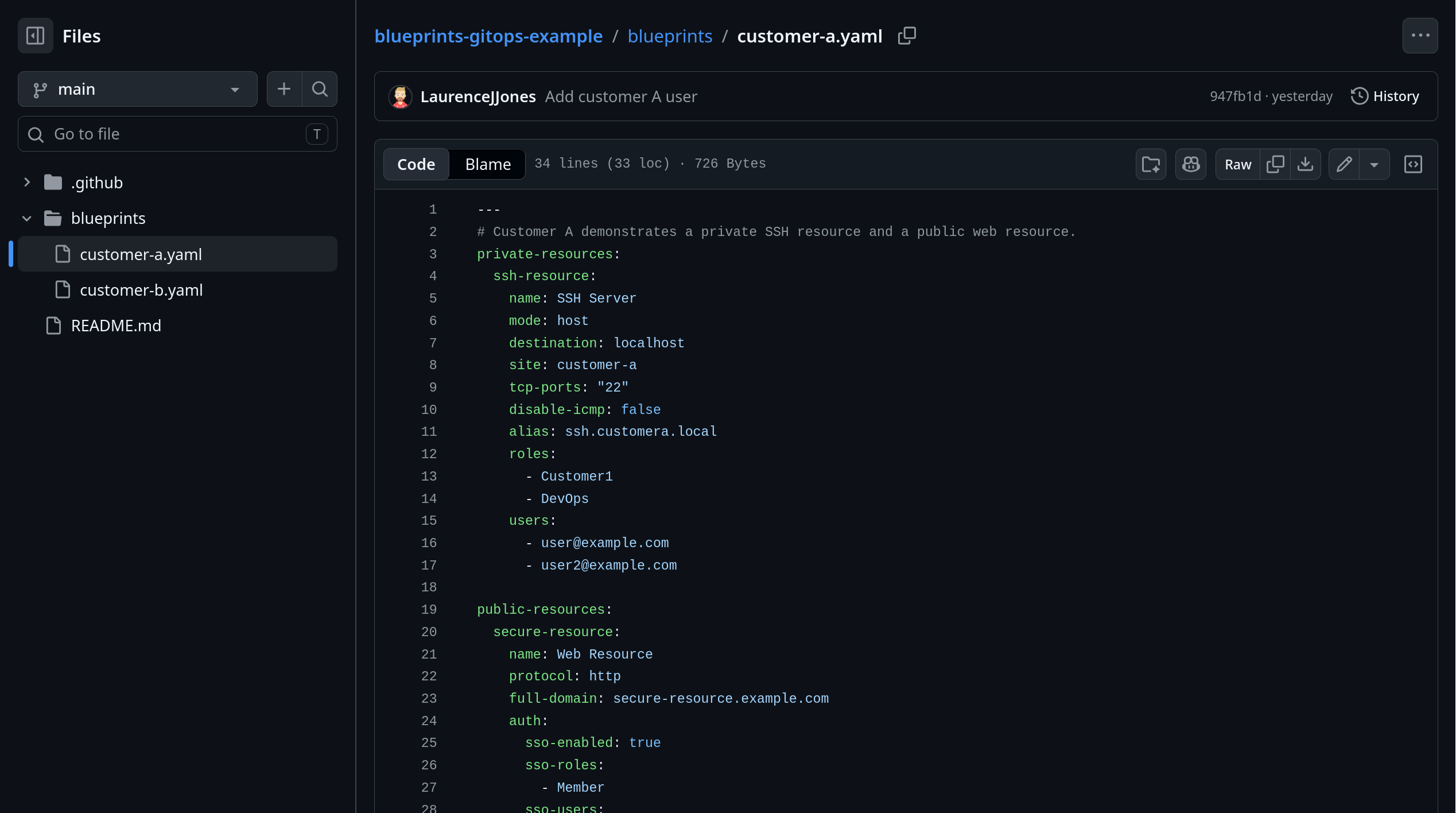
Keep blueprint.yaml in a GitOps repo
The important pattern is simple:
- The blueprint lives in a Git-managed operations repo.
- Pull requests update the Pangolin definition together with the rest of the environment change.
- GitHub Actions applies the blueprint from that repo.
That turns Git into the source of truth for exposure intent and access state.
If a target changes, a domain changes, or a user list changes, the reviewer can see that change in the same pull request as the rest of the operational change. That is a much better model than changing infrastructure in one place and fixing Pangolin later in a dashboard.
One common layout looks like this:
pangolin-gitops/
├─ blueprints/
│  ├─ customer-a.yaml
│  └─ customer-b.yaml
└─ .github/workflows/apply-blueprints.yml
That is only one way to structure it. Some teams keep blueprints with application code, but a separate GitOps repo is often cleaner when Pangolin definitions are shared operational state managed by platform or infrastructure teams.
What a Pangolin blueprint controls
In Pangolin, a blueprint is a declarative definition for resources and their settings. For this workflow, YAML is the useful format because it sits naturally in Git and can be applied from CI. For the broader feature, see Blueprints.
The important part is not that the file is YAML. The important part is that it captures the intended state:
- what resource should exist
- where it should point
- which site it belongs to
- who should be allowed to reach it
That is the information teams often leave split across deployment notes, dashboard settings, and memory. A blueprint pulls it back into one reviewable file.
Example blueprint.yaml
Suppose one customer environment needs both a private connectivity path and a published web service. The same blueprint can define both.
private-resources:
  ssh-resource:
    name: SSH Server
    mode: host
    destination: localhost
    site: customer-a
    tcp-ports: "22"
    disable-icmp: false
    alias: ssh.example.local
    roles:
      - Customer1
      - DevOps
    users:
      - user@example.com
public-resources:
  secure-resource:
    name: Web Resource
    protocol: http
    full-domain: secure-resource.example.com
    auth:
      sso-enabled: true
      sso-roles:
        - Member
      sso-users:
        - user@example.com
    targets:
      - site: customer-a
        hostname: localhost
        method: http
        port: 8080
This file is doing real work:
- it defines a private resource for host-level access
- it defines a public web resource on the same site
- it scopes private access by roles and users
- it scopes public access through SSO roles and users
Without a blueprint, teams usually make those changes directly in the dashboard. With a blueprint, the same changes live in version control and move through review first.
How to use Pangolin in CI with GitHub Actions
Once blueprint.yaml is in a GitOps repo, GitHub Actions becomes the apply step that keeps Pangolin aligned with the reviewed state.
The sequence is straightforward:
- An operator updates the blueprint or related environment definition.
- The change goes through pull request review.
- GitHub Actions applies blueprint.yaml.
- Pangolin updates the resource state to match Git.
That means Pangolin stops being a manual follow-up step after an environment change. It becomes part of the CI workflow itself.
GitHub Actions example
At a minimum, the workflow needs to check out the repo and apply the blueprint with the new non-interactive CLI flags.
name: Apply Pangolin blueprint

on:
  push:
    branches:
      - main

jobs:
  apply:
    runs-on: ubuntu-latest
    steps:
      - name: Check out repository
        uses: actions/checkout@v4

      - name: Install Pangolin CLI
        run: curl -fsSL https://static.pangolin.net/get-cli.sh | bash

      - name: Apply Pangolin blueprint
        env:
          PANGOLIN_INTEGRATION_API_KEY: ${{ secrets.PANGOLIN_INTEGRATION_API_KEY }}
          PANGOLIN_ENDPOINT: ${{ secrets.PANGOLIN_ENDPOINT }}
          PANGOLIN_ORG_ID: ${{ secrets.PANGOLIN_ORG_ID }}
        run: |
          pangolin apply blueprint \
            --api-key "$PANGOLIN_INTEGRATION_API_KEY" \
            --endpoint "$PANGOLIN_ENDPOINT" \
            --org "$PANGOLIN_ORG_ID" \
            --file ./blueprints/customer-a.yaml
The rest of the infrastructure workflow will vary by team. The useful boundary is that the blueprint gets applied from the same reviewed Git state that approved the access change.
Keep the secret-handling boring:
- store Pangolin credentials in GitHub Secrets
- do not hardcode credentials in the workflow
- do not make blueprint apply a separate manual runbook
- keep the API key, endpoint, and org ID in CI secrets, not in the repo
Why CI beats dashboard-only changes
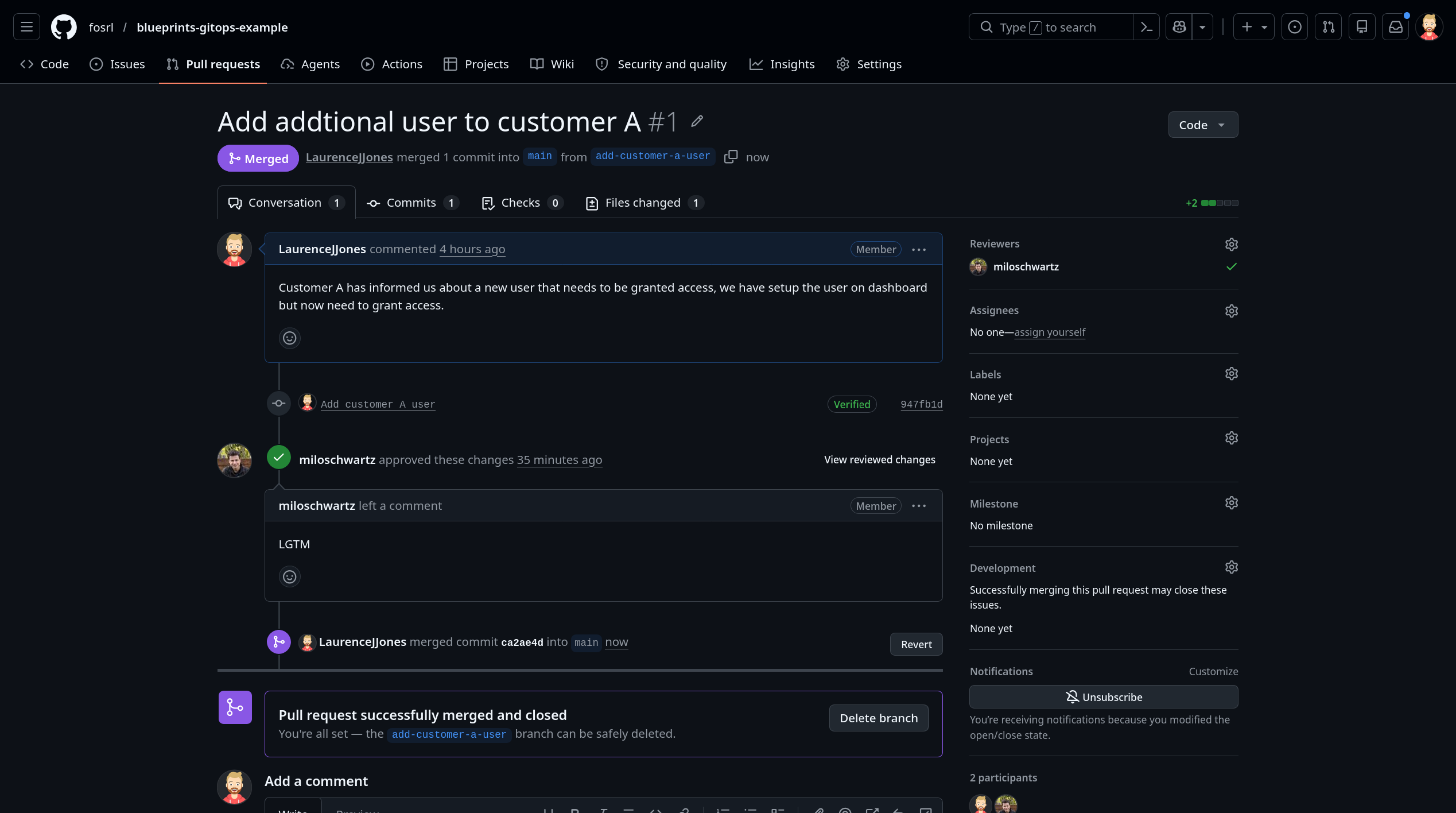
The dashboard is useful, but it is a weak source of truth for Git-managed environment and access changes.
If environment changes happen in Git while Pangolin changes happen somewhere else, reviewers do not get one clear picture of intent. A hostname change, target change, or access-list change is not cosmetic. It changes what is exposed and who can reach it.
Putting that in a blueprint gives you a cleaner workflow:
- access changes get code review
- version history stays in Git instead of disappearing into the dashboard
- exposure changes show up in Git history
- rollback is easier to reason about
- drift is easier to spot
- the access layer stops becoming a hidden manual system
If changing access means editing one file in the GitOps repo and letting CI apply it, precise resource changes stay realistic. If the alternative is another set of manual dashboard steps every time a target or user list changes, drift keeps growing.
Conclusion
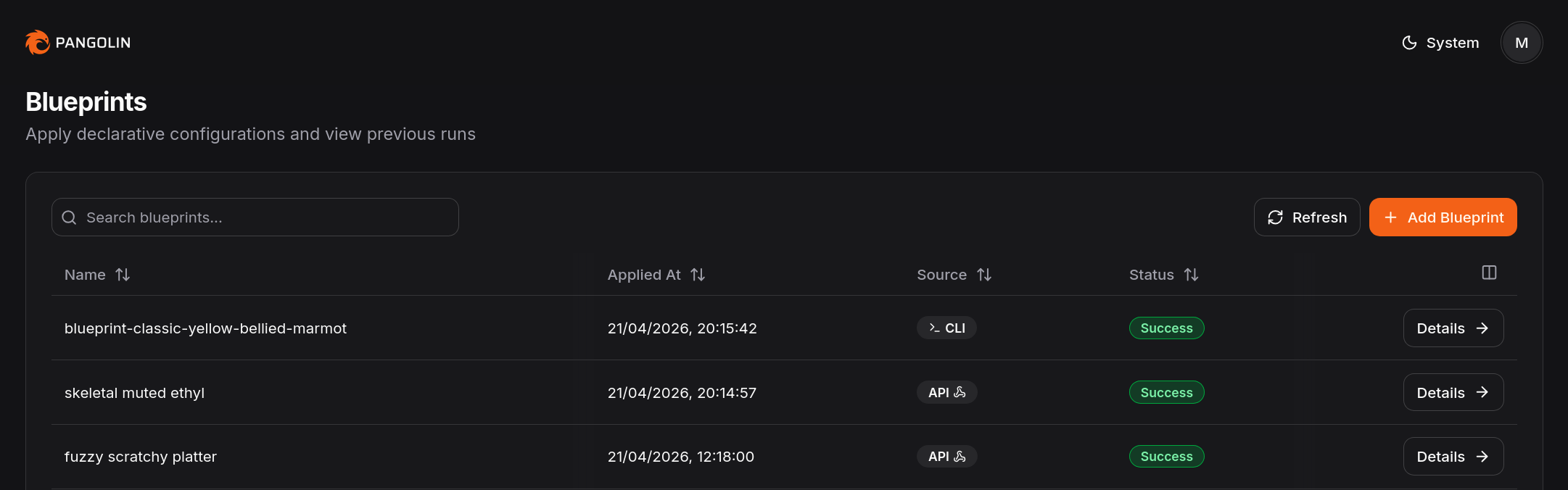
Pangolin is easier to review at scale when blueprint state lives in Git and CI applies it consistently.
Blueprints and GitHub Actions give you a cleaner path. Keep blueprint.yaml in a GitOps repo. Review the environment and exposure changes together. Apply them together.
That does not eliminate access management work. It does put that work back inside a normal Git-managed workflow, which is usually where it belonged all along.
FAQ
What is a Pangolin blueprint?
A Pangolin blueprint is a declarative configuration for resources and their settings. In practice, it lets you manage exposure and access settings as code instead of only through the dashboard.
Should blueprint.yaml live in a dedicated GitOps repo?
Usually yes, if Pangolin state is owned by platform or infrastructure workflows. The important part is that it lives in version control and moves through the same review and CI path as the change it belongs to. Some teams still keep it with application code, but that is an implementation choice, not the core requirement.
Can GitHub Actions apply Pangolin blueprints automatically?
Yes. Pangolin supports applying blueprints through the CLI with non-interactive flags for API key, endpoint, and org ID, which makes the workflow a good fit for CI/CD.
Are blueprints better than managing everything in the dashboard?
For teams that want reviewability, version history, and automation, usually yes. The dashboard still has value, but blueprints are the better fit when Git should be the source of truth.
Can I keep Pangolin blueprints outside the app repo?
Yes. This guide assumes a dedicated GitOps repo because that is often the cleaner model for platform and infrastructure teams. Keeping the blueprint with application code is also possible if that matches your operating model better.
Do blueprints replace access design?
No. They make access design easier to preserve operationally. Teams still need to decide what should be exposed and who should be allowed to reach it.
Pangolin is an open-source infrastructure company that provides secure, zero trust remote access for teams of all sizes. Built to simplify user workflows and protect critical systems, Pangolin helps companies and individuals connect to their networks, applications, and devices safely without relying on traditional VPNs. With a focus on device security, usability, and transparency, Pangolin empowers organizations to manage access efficiently while keeping their infrastructure secure.
Keep reading
 Pangolin Single Sign-On with Google, Microsoft, and OAuth2/OIDC Identity Providers
You can now log in to Pangolin with your existing identity provider - including Google, Microsoft, and any OAuth2/OIDC compatible IdP.
Guides IoT Device Provisioning at Scale with Golden Images for Edge Fleets
A practical way to provision IoT devices at scale: start with a golden image, keep bootstrap simple, let first boot handle setup, and use Pangolin sites and blueprints as one concrete model.
Guides Declarative Configuration with YAML and Docker Labels
Pangolin Blueprints let you manage resources as code with YAML or Docker labels, making configurations automated, consistent, and scalable.
Guides